
Bulk File Transcription: How Teams Transcribe More in Less Time
Learn how bulk file transcription helps teams transcribe dozens of recordings at once — saving time, reducing errors, and simplifying secure workflows.
Why Bulk File Transcription Matters
If you only transcribe a single recording every now and then, uploading one file at a time is fine. But as soon as you manage dozens of interviews, calls, or episodes, manually uploading each file becomes slow and error‑prone. Bulk file transcription lets you queue a whole folder of audio or video at once so you can focus on analysis instead of admin.
Teams using batch transcription see big gains in throughput, consistency, and peace of mind — especially when they are working under privacy or compliance constraints.
Single vs. Bulk Transcription: The Time Difference
Uploading and configuring files one by one adds friction:
- Find the right file on disk
- Upload, wait, and confirm settings
- Repeat the process 10, 20, or 100 times
With bulk transcription, you drag and drop multiple files at once, confirm estimated minutes, and let the system process everything in the background.
- Less context switching – configure once, process many.
- Higher throughput – your queue keeps moving while you work on something else.
- Clearer progress – see the status of every file in one place.
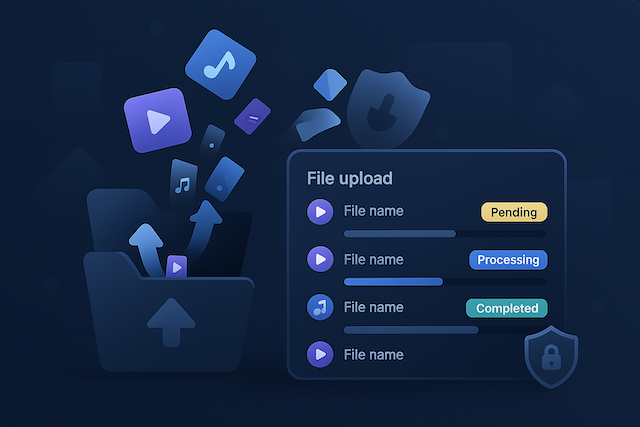
In Safe Scriber, you can upload up to 20 files in one batch and watch each file move from pending to completed with live progress indicators.
Consistency and Fewer Errors
Manual, one‑by‑one uploads increase the risk of mistakes:
- Skipping a file in a long list of recordings
- Using different settings across similar files
- Accidentally closing the browser tab mid‑way
Bulk or batch transcription helps you apply the same workflow to every file in the queue. In Safe Scriber, each file in a batch:
- Is checked against your remaining minutes before you start
- Shows a consistent status (Pending, Processing, Completed, Failed)
- Can be removed from the batch if it looks incorrect before you commit
That consistency is especially important for teams working with research interviews, legal recordings, or compliance reviews, where missing a single file creates gaps in the record.
Cost Efficiency at Scale
When you are transcribing a lot of content, cost per usable transcript matters more than the cost of any single job. Bulk file transcription helps here in two ways:
- Predictable usage – you see an estimate of minutes across all selected files before you start.
- Less wasted time – fewer manual steps means your team spends less effort babysitting uploads.
Safe Scriber uses simple minutes‑based pricing with no subscriptions. That makes it easy to size bundles for a backlog of recordings and understand exactly how far your credits will go. When you are out of minutes, you can upgrade inside the app without disrupting in‑flight jobs.
Common Bulk Transcription Workflows
Here are a few ways teams use bulk audio transcription and bulk video transcription in practice:
- Podcasters and creators – upload a back catalog of episodes to generate transcripts, show notes, and SEO content in one pass.
- Researchers and UX teams – batch‑transcribe interviews, usability sessions, and field recordings for faster synthesis.
- Legal and compliance – process large sets of recorded calls or meetings to create a searchable, auditable text record.
- Internal training – turn a library of webinars and trainings into transcripts that can be indexed and repurposed.
In each case, bulk upload means you can line up work once and come back to a full set of transcripts instead of chasing individual jobs.
Privacy and Security for Large Batches
Processing many files at once only works if you trust how they are handled. Safe Scriber is designed as a privacy‑first transcription tool:
- In‑memory processing – files are processed in memory and deleted as soon as transcription is done.
- No training use – your recordings are never used to train models.
- No persistent storage – no hidden buckets holding your audio or video.
That approach extends to bulk transcription for teams. Whether you are uploading one file or twenty, the same privacy guarantees apply. For more details, see our guides on why privacy matters in transcription and privacy in AI transcription.
How Bulk Transcription Works in Safe Scriber
Getting started with bulk file transcription in Safe Scriber takes just a few steps:
- Go to the homepage and choose the Transcribe your file section.
- Drag and drop multiple recordings (up to 20 files) into the uploader.
- Review the estimated minutes per file and confirm that everything fits your remaining balance.
- Start transcription and monitor progress as each file moves from Pending to Completed.
- Open any completed file in the results area to copy or download the transcript.
You can mix short and long recordings, and you always keep a clear overview of status and estimated usage.
Single Files, Bulk Uploads, and YouTube Links
Bulk transcription does not replace single‑file workflows — it complements them. With Safe Scriber you can:
- Upload a single MP3, MP4, M4A, or MOV file for transcription
- Drag and drop a batch of up to 20 files for bulk processing
- Paste a link into the YouTube transcription tool to transcribe from a URL
This flexibility lets you use the same tool for quick one‑off jobs and for heavy, team‑level workloads.
Perfect for Backlogs, Back Catalogs, and Archives
If you have a backlog of recordings waiting to be processed, bulk transcription is the fastest way to catch up. Instead of spacing uploads over days or weeks, you can:
- Line up your archive of interviews, meetings, or episodes
- Kick off transcription in a single batch
- Come back to consistent, searchable transcripts
This is especially helpful for compliance archives and legal teams who need a complete set of transcripts for audits and reviews.
Try Bulk File Transcription with Safe Scriber
Ready to see how much time you can save with bulk file transcription? Start on the homepage, upload a mix of files, and watch them move through the queue. You can also paste a link into the YouTube transcription tool or try the dedicated MP3 to text flow.
Whether you are processing a single interview or hundreds of recordings, Safe Scriber gives you accurate, private transcripts — without storing your files.
Related guides
- Transcription Analysis Tool: Turn Recordings Into Summaries, Topics & Insights (2026)
A transcription analysis tool goes beyond raw text — generating summaries, topic breakdowns, speaker stats, and structured notes. What to look for in 2026.
- Enterprise Transcription Services: Cost Comparison of All 4 Pricing Models (2026)
Compare all 4 enterprise transcription pricing models side by side — per-minute AI, subscription SaaS, human-graded, and per-seat/API. Real 2026 cost ranges, hidden fees, and when each model wins.